

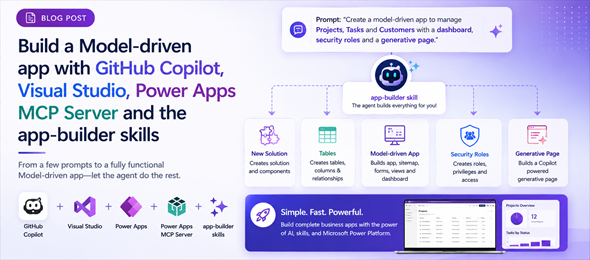
There has been a big hype lately about creating a complete Dataverse solution including tables, relationships, a model-driven app, security roles and web resources. In this post I will go through the steps of doing this. The experience might be slightly different for different users and scenarios, but overall we should be able to achieve the same results.
In this post, I will be using VS Code with Github Copilot Chat and connect to the Power Apps MCP Server to perform these actions. I will assume doing this with no major technical knowledge, so will be asking the Agent to do everything in natural language.
To start I will let the Agent know that I want to create a Model driven app using the app plugins and specify the location of the documentation.
I want to set up a Power Apps Model-driven app plugins. The documentation is located here: https://github.com/microsoft/power-platform-skills/blob/main/plugins/model-apps/README.md

The agent will review the documentation and will check the required CLIs that are required to provide the setup path. You will be prompted multiple times to Approve the agent running commands and making changes to files within the directory. It will install the Node CLI, PAC CLI, Azure CLI and Claude code if required.
Copilot CLI will install the model-apps plugins which is available through the marketplace and it will run the following commands:
copilot plugin marketplace add microsoft/power-platform-skills;
copilot plugin install model-apps@power-platform-skills;
I want you to create a model-driven app for me using the /app-builder installed app. This app will manage the members of a Sports organization that has multiple teams for different age groups and skill levels. Each team will have the members associated with it. I also want to keep a schedule of events for each team and the attendance by the team members. The events will contain information about the opposing team, the location of the game (full address) the start time, ending time and arrival time, and have fields that we can post the score at the end of the game for each team. I also want to capture for each event the list of team members and their attendance status as well as number of goals, assists and penalties in minutes for each member. This app will use the Playground environment and use the Playground publisher using the pg prefix.

The agent will continue from there and provide me with the prompt that it will use for the skill. Below you can see the prompt that was created:
$prompt = @'
/app-builder Build a Power Apps model-driven app named Sports Organization Manager for the Playground environment. Use the existing Playground publisher with prefix pg. DESIGN-ONLY: do not make any live Dataverse calls, do not apply, upload, publish, create tables, or deploy because the Playground PAC profile and Azure authentication are not yet available. Create the local app specification, readable plan, and workflow log under a new kebab-case child directory of the current apps directory, then stop after the validated dry-run design artifacts are ready for review.

Requirements:
- Manage sports organization members, including contact details and useful membership information.
- Manage multiple teams organized by age group and skill level.
- Associate members to one or more teams using a team membership record so roster-specific details can be retained.
- Maintain scheduled events for each team.
- Event fields must include event name/type, opposing team, full game address (street 1, street 2, city, state/province, postal code, country), start time, end time, arrival time, home/away indicator, our score, opponent score, and event status.
- Track event attendance and player statistics with one record per event and team member.
- Attendance statuses should include Invited, Confirmed, Declined, Maybe, Attended, Absent, Injured, and Excused.
- Per-member event statistics must include goals, assists, and penalty minutes.
- Include sensible validation such as nonnegative scores/statistics and chronological arrival/start/end times where supported.
- Include useful forms, subgrids, views, charts, dashboards, security roles, and sitemap navigation for Members, Teams, Team Rosters, Events, Attendance and Statistics, and administration.
- Include generative page intents only if they materially improve scheduling, roster, attendance, or statistics workflows.
- Use app-spec.json as the source of truth and generate model-app-plan.md from it.
'@; Set-Location 'C:\Repos\CodeApps\GHCPMCP\apps'; copilot -p $prompt --allow-all-tools --deny-tool 'shell' --no-ask-user --no-color --stream off --share 'C:\Repos\CodeApps\GHCPMCP\apps\app-builder-design-session.md'
Before starting to work, it will authenticate against the Azure tenant and the Dataverse environment that I specified, and then start performing the Todos to generate the solution and its components. It will ask to Confirm deployment to the environment before proceeding. Below is the list of Todos that were generated by the agent:

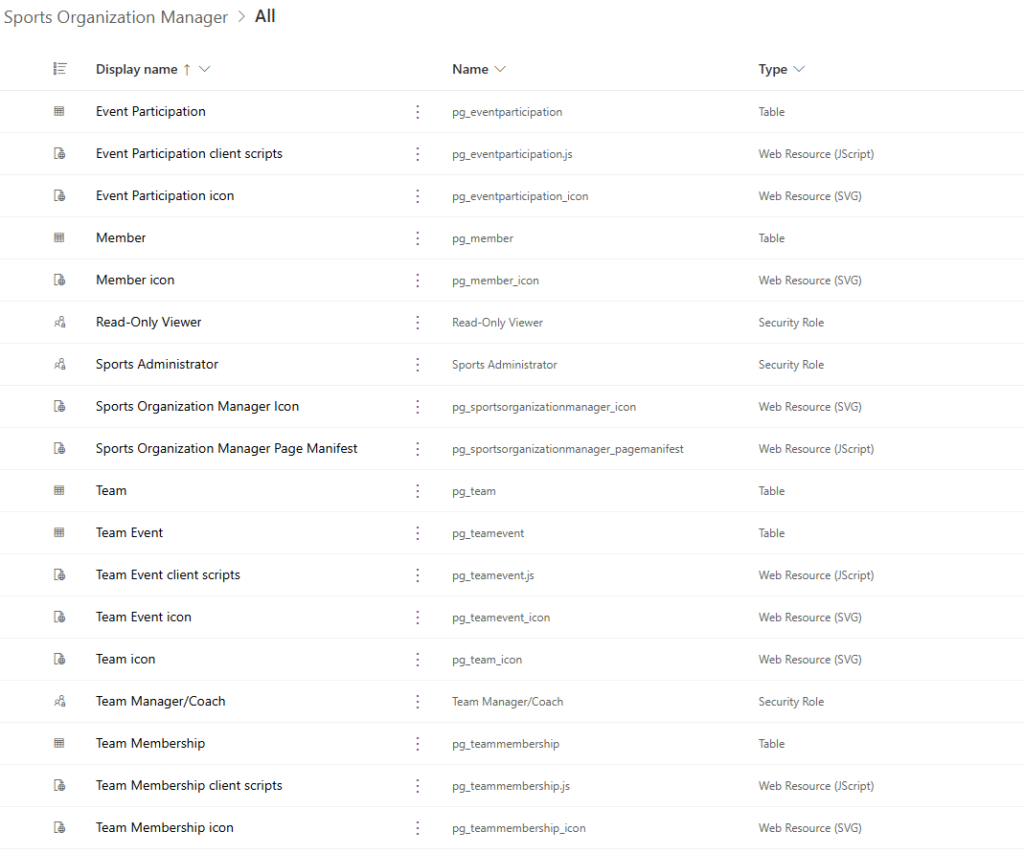
Once the process has been completed, you can navigate back to your Power Apps Maker and see the solution and the components that were generated including tables, apps, site map, model-driven app, security roles and more.
The screenshot below shows the model-driven app that was created using VS Code and the page that is visible is the Generative Page that was created.
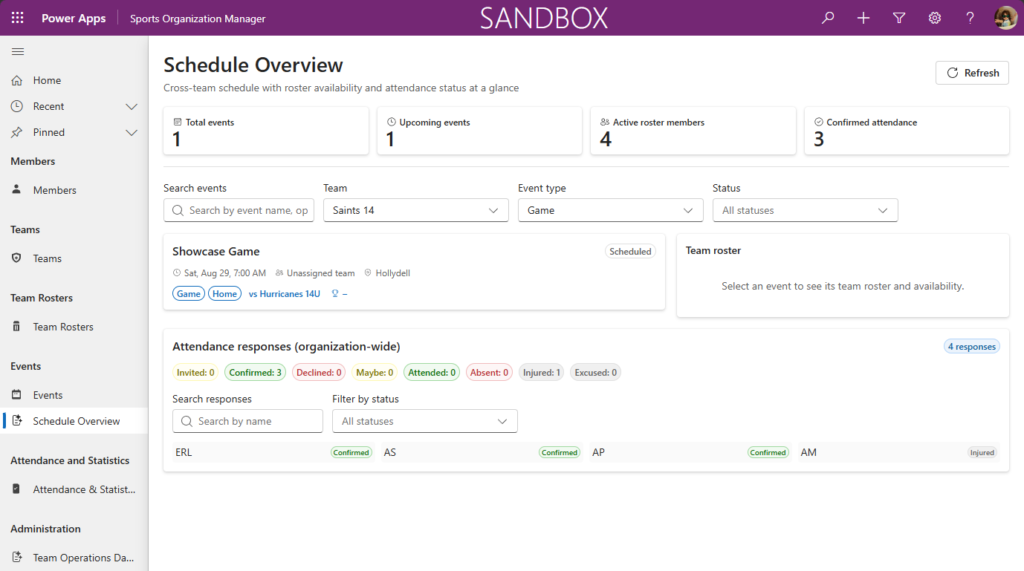
So basically as you can see, with 2 prompts using VS Code with Github Copilot and the app-builder skills, we were able to build a full model-driven app with its tables, roles, relationships, scripts and even a generative page. There are other ways to do achieve the same functionality including the use of the Github Copilot app or Claude code.