Modern Controls for Power Apps
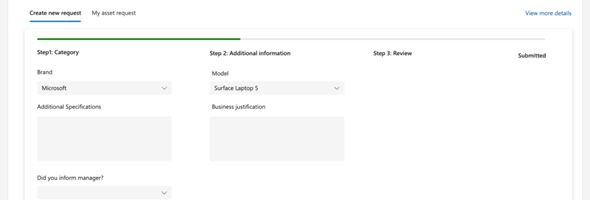
through an opt-in preview. These controls are based on Microsoft’s Fluent design system, which most of the Microsoft product experiences follow (such as Microsoft Office and Microsoft Teams).

through an opt-in preview. These controls are based on Microsoft’s Fluent design system, which most of the Microsoft product experiences follow (such as Microsoft Office and Microsoft Teams).
On March 8, Microsoft made an additional announcement that Cards for Power Apps can be sent automatically via flows using a new connector and an updated Teams connector. The cards authoring experience has also been improved making it easier to design cards that fit our business needs.
uary 5th, Microsoft announced the ability to call Dataverse actions directly from within Power Apps instead if having the need to call a Power Automate flow to create this action. This new feature will heavily improve performance.
Yesterday (January 25, 2023), Microsoft release their plans for Microsoft Dynamics 2023 Release Wave 1. These release plans are available in various formats and can be accessed on the Microsoft Learn site, the Microsoft Release Planner or can be downloaded as PDFs.
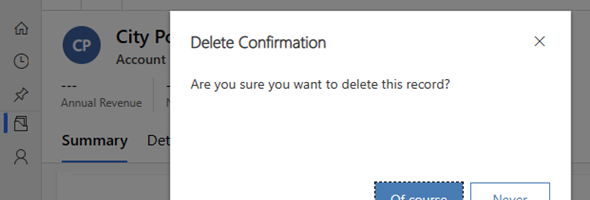
A couple of weeks ago, Microsoft announced the availability of displaying dialog boxes using the Power Fx function for modern Commanding. This new functionality provides the ability to have your Modern commanding component library show custom dialog boxes that can be customized to your needs, and respond to user action with Power FX.
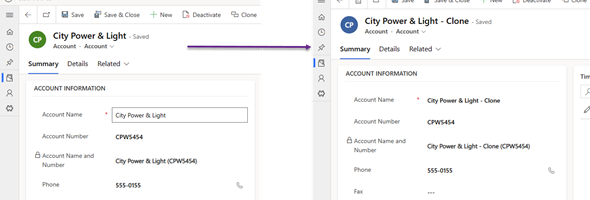
In this post, I will demonstrate how to Clone a record using Modern Commanding. This will include Cloning of the primary record in addition to the ability to Clone child records.
Cards for Power Apps are a new way to design and deliver mini-apps to Microsoft Outlook and Microsoft Teams using Power FX/low-code.
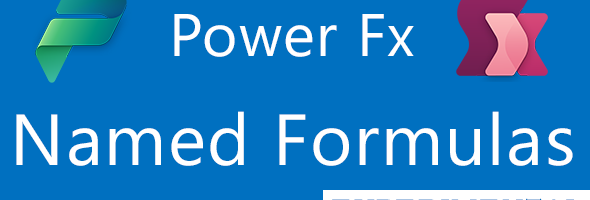
Last Friday, September 16th, Microsoft introduced Name Formulas to Power FX. Named Formulas, and old concept that has been part of Microsoft Excel for a long time has now been brough to Power FX (currently experimental only). With Named Formulas we can simplify app initialization, reduce load time and logic and improve overall app maintenance
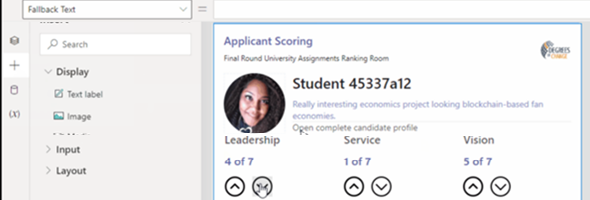
Late last month, the Microsoft Power Platform Customer Advisory Team (PowerCAT) released the Power Apps Creator Kit, which is a set of prebuilt controls and components to assist both citizen and professional developers in their journey of developing Canvas Apps and Custom Pages. In this post I will review a sample application that I created using some of these components.
Whether you are new to developing Canvas Apps or are experienced, the Power Apps Creator Kit from the PowerCAT team has been a big talk in the community. The toolkit provides a list of pre-built controls and components that can be used to design and develop your Canvas Apps and Custom Pages.