


Generative pages are an AI-driven feature in app development, particularly within model-driven apps. They allow users to create pages by simply describing their needs in natural language, which the system then translates into structured layouts and code.
At times, the model translation omits certain parts of the code causing the page not to load and generates error messages. Historically, when we would get an error message when our page loads, we would have start researching and debugging our code to find out the root cause and the source of the issue, fix it and then try to run it again. With AI in Generative pages the solution is much simpler.
If we take the following example. I provided a description to create page to display a list of events from an events table showing it a table style. The part of the description is shown below:
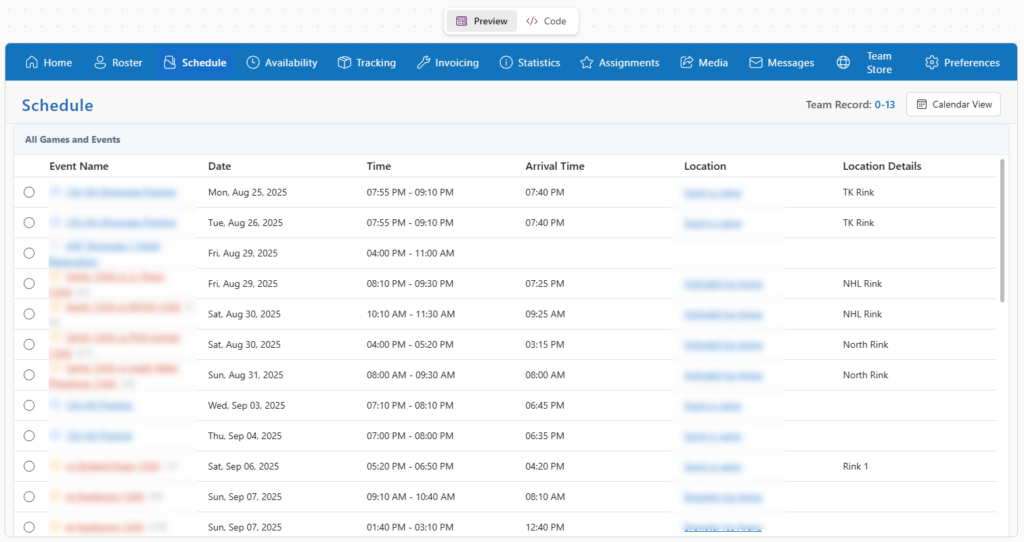
Create a page to display a list of events (from the events table). The top section will contain the buttons showing up in the image. Under the buttons there will be a banner with the title “Schedule”, and on the right hand side it will show the team record of Wins and Losses. The Wins and Losses will be based on the Game Result column where the Event Type is Game. Next to it there will be a button that says Calendar View.
The table will contain 5 columns: …
When the page was generated we received one of the following errors:
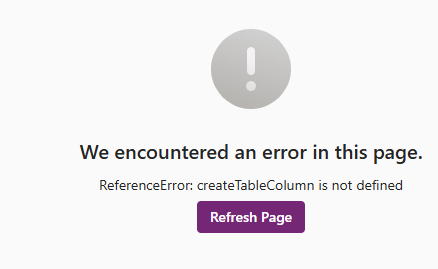
As mentioned, normally we would have to go into our code and debug this functionality, but now, we can just ask AI to fix it. In the Agent pane, we simply have to tell the Agent to fix is as follows:
There is an error on the page that says ReferenceError: createTableColumn is not defined
The App Agent will analyze the code and determine that we need to import the createTableColumn from the @fluentui/react-components and add that at the top of the file. Once the agent is done, the page will run as expected. as shown below:
In general, AI can fix most of the issues and problems that you have by typing a description, but if there are things that are overcomplicated or not as easy for AI to fix, you can try and doing it yourself, by going into Code mode and clicking on Edit to make changes to the code in React.