

For a few years now, the Xrm.Navigation.navigateTo command has been available to allow us to display forms, views, custom pages or web resources inline or as a dialog in Model-driven apps. Now, generative pages are added to that list.
The following code examples will show how to open a Generative Page inside a Model driven app. You can add the code to any event in your Javascript web resource and hook it up to the form load or control change event. This code example below will open the Generative Page as a Modal Dialog on top of your form and you can manipulate it as needed. Replace the GUID of the Generative page below with your own Generative Page Id and change the sizing as needed.
    Xrm.Navigation.navigateTo(
        {
            pageType:"generative",
            pageId:"f8f9c308-4100-41aa-84c1-e71891700467",
        },
        {
            target: 2,
            height: {value: 80, unit:"%"},
            width: {value: 70, unit:"%"},
            position: 1
        }).then(console.log)
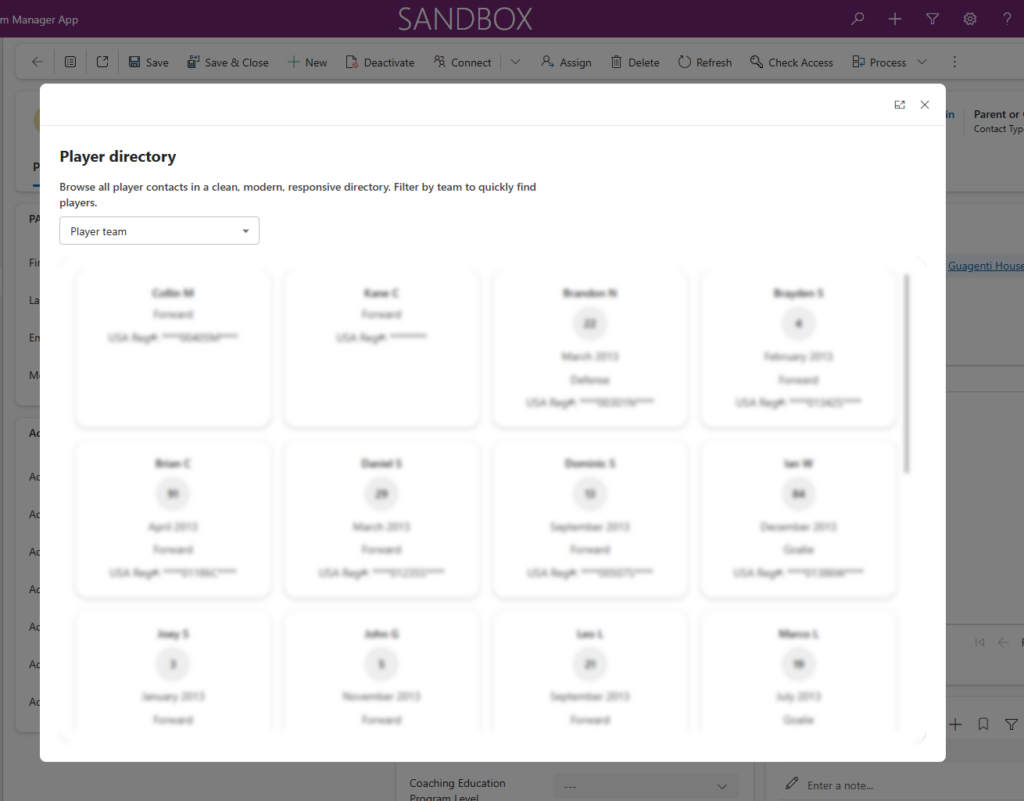
The result of the above code syntax is the display of the following Gen Page displayed as a Modal Dialog. You can change the position to 2 in order to display the same as an inline window and change the width unit to a number that makes more sense for your page.
Hypothetically, we should be able to use similar logic to display the Generative Page inside of a Side Pane, but the logic does open the side pane, but the content of the Generative Page is not displayed. Once this issue is resolved, I will update this post with the correct syntax or fix.
const pane1 = await Xrm.App.sidePanes.createPane({
    title: "Reservations",
    paneId: "GenerativePage",
    canClose: false,
    width: 400
})

 pane1.navigate({
        pageType: "generative",
        pageId: "f8f9c308-4100-41aa-84c1-e71891700467"
    })
At this point in time, passing parameters to Generative Pages using the NavigateTo method is not supported. If you want to pass parameters to a Generative page, you can do that using the Url and the data property, similar to the code example below (the data param would need to be encoded when opening this page):
/main.aspx?appid={MDA_APP_ID}&pagetype=genux&id=f8f9c308-4100-41aa-84c1-e71891700467&data={"Parameter":"ParameterValue"}Since the Generative page still does not know how to retrieve parameters, we would need to add code to our Generative Page that we read the query string and parse the data element. We can use the URLSearchParams and JSON.parse to get the values that we need. The code example below shows how to do that.
const urlParams = new URLSearchParams(window.location.search);
const dataParam = urlParams.get('data');
const jsonData = JSON.Parse(dataParam);
As Generative Pages are progressing and will provide support for additional functionality, I will continue posting here. We still have to determine the future of Canvas Apps and Custom Pages within the world of AI and tools such as Generative Pages and Code Apps.