Using the Maker Portal to Export to Data Lake
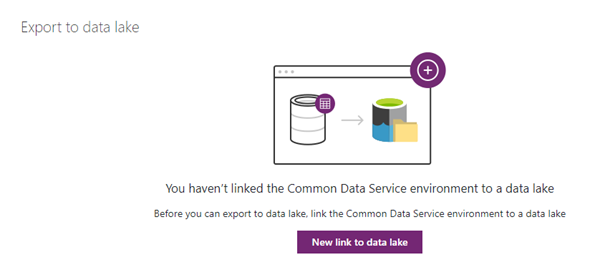
In my current role the matter of using a data lake has come up, and I wanted to get ready in case this implementation will become a need. I followed instructions from some of the published Microsoft blogs, and this blog post provides step by step instructions on how to configure the Azure Storage account to enable the Export to Data Lake feature as well as running the same process from within the Power Apps Maker Portal
Customer Service Workspace (Preview) in 2020 Wave 2 Release Plan

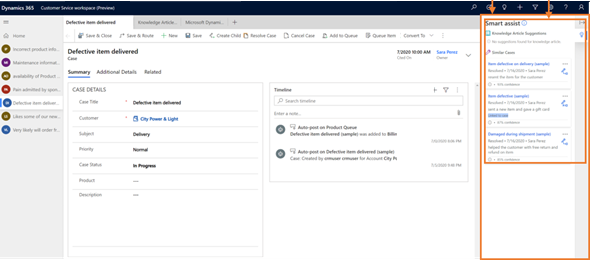
For anyone who has experience with Microsoft Omni channel interface, and has enabled the 2020 Wave 2 Release Plan, there is a new app that appeared with the name Customer Service Workspace (Preview). As noted in the release plan, the multisession app allows customer service agent to multitask on several customer cases simultaneously and seamlessly switch among issues without losing context of the in-progress work.

Sending Emails to all customers using Power Automate

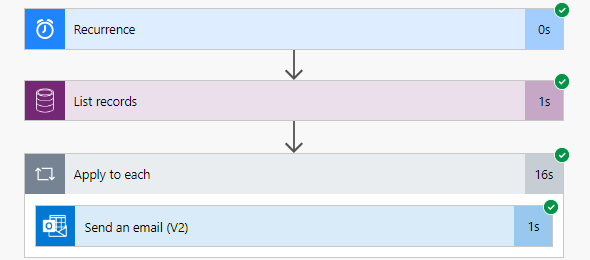
Recently in the forums, there were a few questions on how to send emails to all of my customers. While there might be different options, and the right solution to this might greatly depend on the frequency that you need to be sending this as well as the number of contacts, I thought I would demonstrate a few different approaches to implement this using Microsoft Power Automate.

AI Builder Business Card Reader

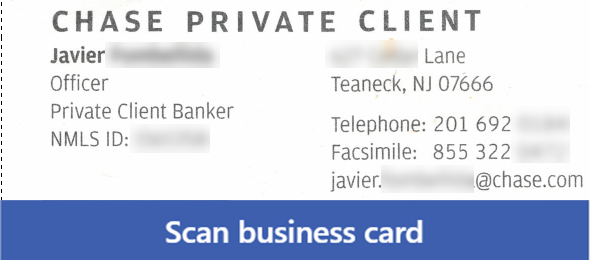
I have started working with AI Builder recently and yesterday I finally took a look at the Business Card scanner. I decided to check how this works in the different apps, both Modal Driven as well as Canvas Apps.

I ran my tests using 4 different types of business cards and wanted to see how well this works. The results overall were pretty good, but not perfect. It is still hard to expect perfect results, as not all Business cards are created equal.

T-SQL Endpoint for Common Data Service

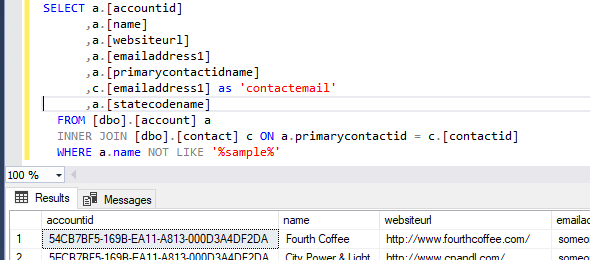
Since the announcement by Microsoft at the Microsoft Business Applications Summit last month, and even before, I’ve been eager to take a look at the new SQL Connection for the Common Data Service Endpoint. What this means is that we can not write and execute SQL queries against the entity data.

Changing record statuses in UCI and 2020 Wave 1 release

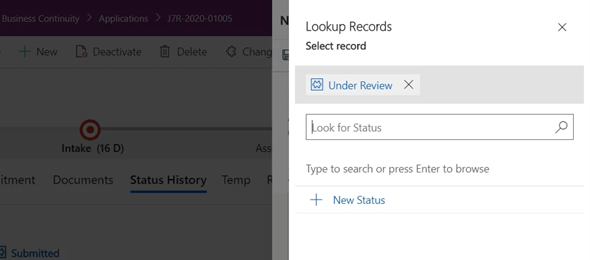
When working with model driven apps, we have the ability to navigate through the flow of the record using the Business Process Flow. The BPF is a great way to navigate through the different stages of the record, but what if that is just not enough. What if in order to complete the record I have to go through 10 or maybe more stages.

Advanced AutoNumber Source Code now available

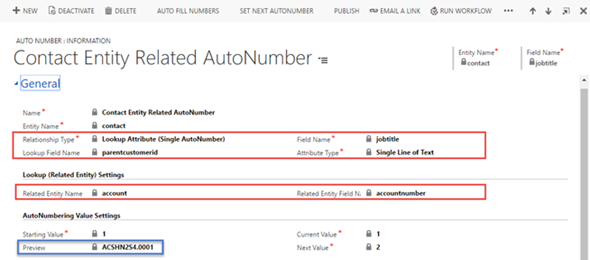
A few years back we developed an AutoNumber solution that enables the implementation of AutoNumbers for Dynamics 365 and the Common Data Service. This AutoNumber solution allows the creation of rules for simple autonumbers with prefix, suffix and number of digits, but also has a lot of advanced features for getting numbers from related fields or option sets.

UCI Grid Filtering and Search improvements

Over the past couple of years, since the release of Unified interface, one of the biggest pain points for most customer was that features that are available in the web client are not available in the new Unified Interface. There were a lot of improvements in the Unified Interface with the responsive client, custom controls and more, but when you are used to working in a certain way, taking away features is sometimes hard to get used to.

Integrate CDS and SQL Server with Power Automate and On-Premise Data Gateway

In a recent blog I posted a few days ago, I posted how to use Azure Service Bus and a Listener application to integrate between the Common Data Service (Dynamics 365 or Power Apps Model Driven Application) and an On Premise SQL Service database. As mentioned that there are a few easier ways to implement this, I wanted to demonstrate how easy it would be to perform similar functionality using a Microsoft Power Automate Flow that connects to the On-Premise Data Gateway